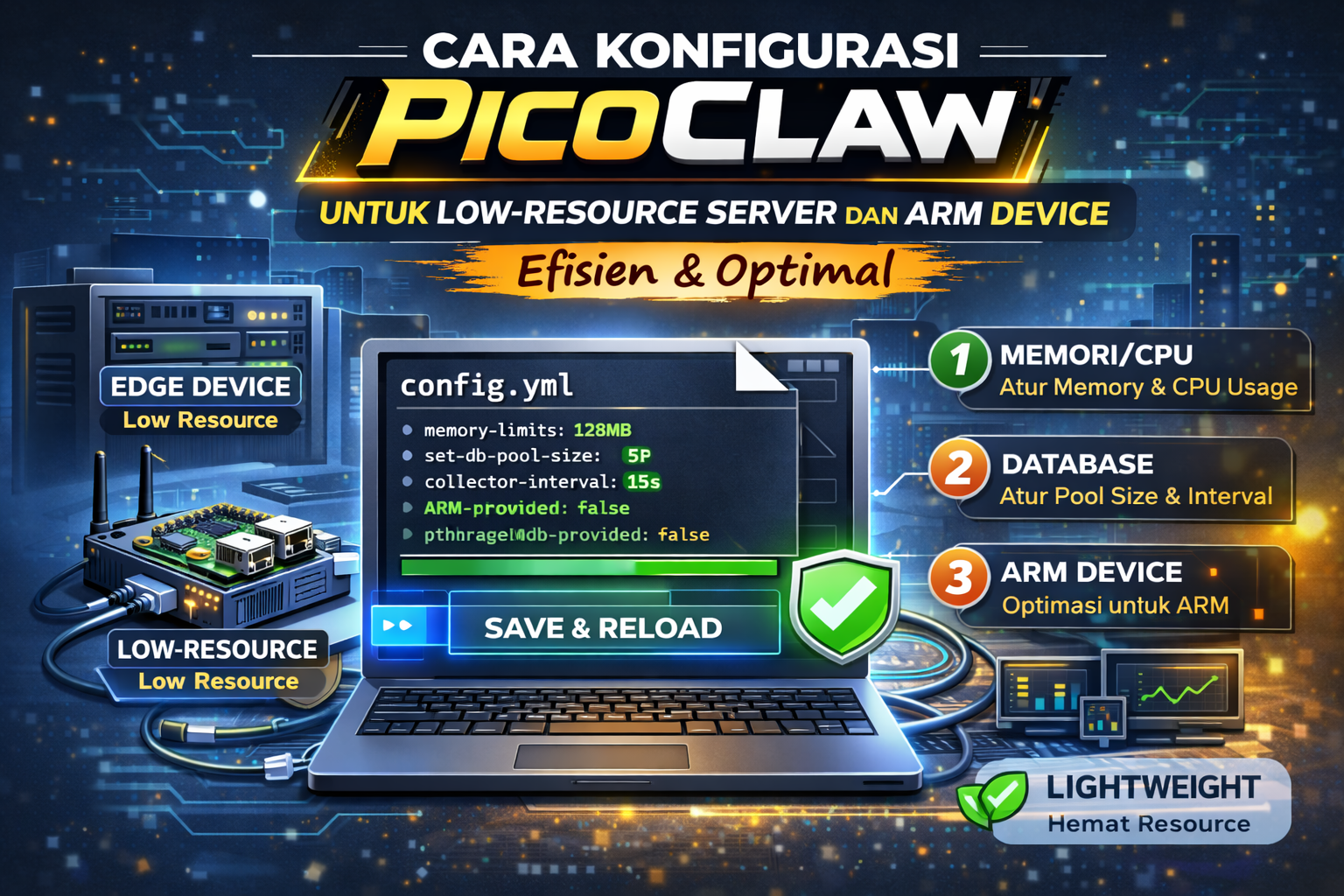
🎯 Filosofi Konfigurasi untuk Edge dan Low-Resource
PicoClaw dirancang dari awal untuk lingkungan low-resource. Ini berarti konfigurasi yang optimal harus mempertimbangkan tiga hal sekaligus: minimal RAM footprint, graceful degradation saat koneksi internet putus (via offline fallback), dan platform-aware settings untuk mendapatkan performa terbaik di masing-masing arsitektur hardware.
Berbeda dari OpenClaw (yang diasumsikan berjalan di server kuat), atau bahkan ZeroClaw (yang lebih fokus ke Rust ecosystem), PicoClaw memiliki beberapa fitur konfigurasi unik seperti model_list, hardware.platform: "auto", dan low_power_mode yang tidak dimiliki AI agent lain.
<10 MB
RAM di semua config
ARM64
Full Support
Offline
Auto-fallback Ollama
📁 Struktur Konfigurasi PicoClaw
# Lokasi file config
~/.picoclaw/config.json

# File terkait lainnya
~/.picoclaw/memory/     # SQLite memory
~/.picoclaw/logs/       # Log files
~/.picoclaw/cache/      # Model response cache

# Backup sebelum edit
cp ~/.picoclaw/config.json ~/.picoclaw/config.json.bak.$(date +%Y%m%d)

# Validasi config
picoclaw config validate

# View config aktif
picoclaw config show
Skeleton config.json lengkap PicoClaw:
{
  "providers": { ... },          // Credential AI provider
  "default_provider": "openrouter",
  "models": {
    "model_list": [ ... ]        // FITUR UNIK PicoClaw: list model dengan alias
  },
  "agents": { ... },             // Agent config
  "channels": { ... },           // Messaging channels
  "gateway": { ... },            // HTTP gateway
  "hardware": { ... },           // Platform-specific config
  "security": { ... },           // Sandbox
  "memory": { ... },             // Memory backend
  "logging": { ... }
}
📋 Format Model List (Fitur Unik PicoClaw)
model_list adalah fitur yang membedakan PicoClaw dari AI agent lain. Format ini memungkinkan kamu mendefinisikan koleksi model dengan alias yang fleksibel, mendukung heterogeneous providers, dan automatic fallback berdasarkan availability:
{
  "providers": {
    "openrouter": {
      "api_key": "sk-or-...",
      "timeout": 30
    },
    "anthropic": {
      "api_key": "sk-ant-...",
      "timeout": 60
    },
    "ollama": {
      "base_url": "http://localhost:11434",
      "timeout": 120
    },
    "groq": {
      "api_key": "gsk_...",
      "timeout": 15
    }
  },
  "models": {
    "model_list": [
      {
        "alias": "primary",
        "provider": "openrouter",
        "model": "anthropic/claude-sonnet-4",
        "priority": 1,
        "tags": ["complex", "code", "analysis"]
      },
      {
        "alias": "fast",
        "provider": "groq",
        "model": "llama-3.1-8b-instant",
        "priority": 2,
        "tags": ["quick", "simple"],
        "max_tokens": 2048
      },
      {
        "alias": "cheap",
        "provider": "openrouter",
        "model": "anthropic/claude-haiku-3-5",
        "priority": 3,
        "tags": ["heartbeat", "routine"]
      },
      {
        "alias": "offline",
        "provider": "ollama",
        "model": "llama3.2:3b",
        "priority": 10,
        "tags": ["fallback", "offline"],
        "requires_internet": false
      },
      {
        "alias": "offline-small",
        "provider": "ollama",
        "model": "qwen2.5:0.5b",
        "priority": 11,
        "tags": ["ultra-fallback"],
        "requires_internet": false,
        "note": "Model 400MB untuk device dengan storage sangat terbatas"
      }
    ]
  }
}
💡 Keunggulan model_list vs Format Lain:
- • Alias yang ekspresif (
"primary","fast","offline") - • Priority-based fallback yang jelas
- • Tags untuk kategorisasi task-model matching
- •
requires_internet: falsememungkinkan PicoClaw auto-switch ke offline mode
📴 Setup Offline Fallback dengan Ollama
Kemampuan offline adalah fitur killer PicoClaw untuk edge deployment. Ketika koneksi internet putus, agent bisa tetap merespon menggunakan Ollama yang berjalan lokal:
1. Install Ollama di Device/Server
# Install Ollama (Linux x86_64 dan ARM64)
curl -fsSL https://ollama.ai/install.sh | sh

# Untuk ARM device, Ollama juga tersedia secara native
# Pull model yang akan digunakan offline
ollama pull llama3.2:3b             # ~2 GB, recommended
ollama pull qwen2.5:0.5b            # ~400 MB, ultra-light untuk storage terbatas

# Cek model yang tersedia
ollama list

# Test lokal
ollama run llama3.2:3b "Halo, berapa 2 + 2?"

# Pastikan Ollama berjalan sebagai service
sudo systemctl enable ollama
sudo systemctl start ollama
2. Konfigurasi Auto-Failover ke Offline
{
  "agents": {
    "defaults": {
      "model": {
        "primary": "primary",
        "fallback": ["cheap", "fast", "offline"],
        "offline_fallback": "offline",
        "heartbeat": "cheap"
      },
      "offline_behavior": {
        "auto_switch": true,
        "check_interval_seconds": 30,
        "notify_on_switch": true,
        "notify_channel": "telegram.main"
      }
    }
  }
}
✅ Dengan Konfigurasi Ini:
- • PicoClaw cek koneksi internet setiap 30 detik
- • Jika internet putus → otomatis pakai model Ollama lokal
- • Kirim notifikasi Telegram bahwa sedang dalam mode offline
- • Saat internet kembali → otomatis switch ke provider cloud
⚙️ Hardware Platform Configuration
PicoClaw memiliki section hardware khusus yang memungkinkan tuning berdasarkan platform target:
{
  "hardware": {
    "platform": "auto",              // auto | linux-arm64 | linux-amd64 | linux-armv7 | linux-riscv64
    "low_power_mode": false,          // true untuk device dengan battery atau power budget ketat
    "throttle_on_thermal": true,      // Kurangi aktivitas jika CPU terlalu panas
    "thermal_threshold_celsius": 75,  // Threshold throttle
    "goroutines": {
      "max_concurrent": 4,            // Sesuaikan dengan jumlah CPU core
      "queue_size": 100
    },
    "storage": {
      "use_tmpfs_for_cache": false,   // true jika punya cukup RAM
      "sync_writes": false            // false = lebih cepat, risiko data loss saat power cut
    }
  }
}

// Konfigurasi khusus untuk Raspberry Pi Zero 2W (ARMv8, 512MB RAM)
{
  "hardware": {
    "platform": "linux-arm64",
    "low_power_mode": true,           // Hemat daya untuk device bertenaga kecil
    "throttle_on_thermal": true,
    "goroutines": { "max_concurrent": 2 }  // RPi Zero punya 4 core tapi terbatas thermal
  }
}
📡 Konfigurasi Channel Optimal di ARM/Edge
Di device dengan resource terbatas, pilih channel yang paling efisien. Telegram adalah yang terbaik karena polling-based (tidak butuh persistent connection), sementara Discord membutuhkan WebSocket yang lebih berat:
{
  "channels": {
    "telegram": {
      "enabled": true,
      "accounts": {
        "main": {
          "bot_token": "TOKEN",
          "allow_from": ["username_kamu"],
          "polling_interval_ms": 2000,    // Poll setiap 2 detik (hemat request)
          "reply_in_private": true,
          "typing_indicator": false,       // Matikan untuk hemat API call kecil
          "max_message_length": 4096,
          "enable_commands": true,
          "commands": {
            "/status": "Tampilkan status agent",
            "/help": "Tampilkan bantuan",
            "/mode": "Toggle online/offline mode"
          }
        }
      }
    },
    "webchat": {
      "enabled": true,
      "port": 8420,
      "host": "0.0.0.0",
      "allow_from_ip": ["127.0.0.1", "192.168.1.0/24"]
    }
  }
}
🧠 Memory Config untuk Penyimpanan Minimal
{
  "memory": {
    "backend": "sqlite",
    "sqlite": {
      "path": "~/.picoclaw/memory/main.db",
      "max_memories": 1000,            // Batasi lebih ketat untuk device storage terbatas
      "vacuum_interval": "3d",         // Vacuum lebih sering untuk hemat storage
      "wal_mode": true,
      "cache_size_kb": 2048,           // 2 MB cache (hemat untuk ARM)
      "synchronous": "NORMAL",
      "auto_prune": {
        "enabled": true,
        "older_than_days": 30,         // Hapus memory lebih dari 30 hari
        "keep_important": true         // Tetap simpan memory yang ditandai penting
      }
    },
    "embedding": {
      "provider": "ollama",
      "model": "nomic-embed-text",     // Model embedding kecil, bisa jalan lokal
      "offline_capable": true
    }
  }
}
🐹 Go Runtime Tuning untuk Low-Resource
PicoClaw mengekspos beberapa environment variable untuk tuning Go runtime yang sangat berguna di device terbatas:
# Sesuaikan GC behavior untuk device dengan RAM terbatas
# Taruh di service file atau ~/.bashrc

# GOGC=50: GC lebih agresif (lebih sering bersih, lebih banyak CPU), hemat RAM
# GOGC=100: default balance
# GOGC=200: GC lebih jarang (kurang CPU), tapi bisa lebih boros RAM
export GOGC=50

# GOMEMLIMIT: Batasi maksimal heap yang bisa dipakai Go (Go 1.19+)
export GOMEMLIMIT=64MiB            # Maksimal 64 MB untuk picoclaw

# GOMAXPROCS: Batasi thread OS yang digunakan
export GOMAXPROCS=2                # Max 2 core untuk RPi Zero

# Di systemd service, tambahkan:
# [Service]
# Environment=GOGC=50
# Environment=GOMEMLIMIT=64MiB
# Environment=GOMAXPROCS=2
# Update service file dengan env vars
cat ~/.config/systemd/user/picoclaw.service
# Edit untuk tambah environment
[Service]
Type=simple
ExecStart=/usr/local/bin/picoclaw daemon
Restart=always
RestartSec=10
Environment=GOGC=50
Environment=GOMEMLIMIT=64MiB
Environment=GOMAXPROCS=2
# Reload service
systemctl --user daemon-reload
systemctl --user restart picoclaw🐋 Docker Compose untuk ARM Device
# docker-compose.yml untuk ARM (Raspberry Pi, Orange Pi)
version: '3.8'
services:
  picoclaw:
    image: ghcr.io/sipeed/picoclaw:latest
    platform: linux/arm64             # Explicit ARM64 platform
    container_name: picoclaw-arm
    restart: unless-stopped
    volumes:
      - ~/.picoclaw:/root/.picoclaw
    environment:
      - GOGC=50
      - GOMEMLIMIT=64MiB
      - GOMAXPROCS=2
    mem_limit: 128m                   # Batasi container di 128 MB
    memswap_limit: 256m               # Dengan swap
    cpus: 1.0                         # Maksimal 1 core
    ports:
      - "127.0.0.1:8420:8420"

  ollama:
    image: ollama/ollama:latest
    container_name: ollama-arm
    restart: unless-stopped
    platform: linux/arm64
    volumes:
      - ollama_data:/root/.ollama
    mem_limit: 2g                     # Butuh RAM lebih untuk model
    ports:
      - "127.0.0.1:11434:11434"

volumes:
  ollama_data:
📊 Monitoring di Edge Device
# Lihat resource usage PicoClaw
picoclaw stats

# Monitor sistem (untuk ARM device dengan resource display minimal)
cat /proc/meminfo | grep -E 'MemTotal|MemFree|MemAvailable'
cat /proc/loadavg

# Lightweight monitoring script untuk ARM device
#!/bin/bash
# /home/user/monitor-picoclaw.sh

echo "=== PicoClaw Monitor ==="
echo "Time: $(date)"
echo ""
echo "RAM:"
free -h
echo ""
echo "PicoClaw Process:"
ps aux | grep picoclaw | grep -v grep

# Restart jika tidak ada process
if ! pgrep picoclaw > /dev/null; then
    echo "WARN: PicoClaw tidak berjalan! Restarting..."
    systemctl --user restart picoclaw
fi
🚀 PicoClaw di VPS SufaNet: Best of Both Worlds
Meskipun PicoClaw sangat cocok untuk edge device fisik, banyak developer memilih deploy di VPS karena keuntungan operasional: uptime terjamin, perawatan mudah via SSH, tidak ada risiko hardware failure, dan bisa remote restart kapan saja.
Di VPS Indonesia SufaNet, PicoClaw bisa berjalan di paket entry-level dengan sangat nyaman — bahkan kamu bisa menjalankan PicoClaw, Ollama (untuk offline fallback), Nginx, dan aplikasi web kecil sekaligus, berkat efisiensi Go yang hanya memakan <10 MB RAM.
| Pilihan Deployment | Pro | Cons |
|---|---|---|
| VPS SufaNet | Uptime 99.9%, mudah manage, SSH access | Biaya bulanan, tidak bisa akses peripheral fisik |
| Raspberry Pi | Akses GPIO, free setelah beli, low power | Mati jika listrik/internet putus, perlu maintenance fisik |
| Hybrid (RPi + VPS) | Best coverage, RPi untuk edge + VPS untuk backup | Setup lebih kompleks |
🐾 PicoClaw + VPS SufaNet = AI Agent Andal 24/7
Go binary ringan + offline fallback Ollama + VPS Indonesia latensi rendah.
❓ FAQ Konfigurasi PicoClaw
Ollama model mana paling cocok untuk ARM device dengan RAM 512 MB?
qwen2.5:0.5b adalah model terkecil yang masih bisa berkonversasi (~400 MB). Untuk kualitas lebih baik, llama3.2:1b (~600 MB) adalah upgrade yang worthit. Hindari model 3B+ di device dengan RAM 512 MB karena Ollama juga butuh RAM untuk runtime.
Berapa lama PicoClaw bisa running tanpa restart di ARM device?
Dengan konfigurasi yang tepat (GOMEMLIMIT, vakum SQLite rutin), PicoClaw bisa running berbulan-bulan tanpa restart. Restart hanya perlu saat update binary. Set Restart=always di systemd service untuk auto-restart jika crash.
Apakah PicoClaw bisa dipakai untuk IoT automation?
Ya! Dengan custom tools di konfigurasi PicoClaw, kamu bisa integrasikan agent dengan API smart home atau sensor. Buat custom tool yang memanggil Home Assistant API, dan PicoClaw bisa menjadi "otak" otomasi rumah yang bisa diajak ngobrol via Telegram.
🎯 Kesimpulan
PicoClaw menunjukkan bahwa AI agent yang lengkap dan andal tidak harus mahal atau boros resource. Dengan konfigurasi yang tepat — model_list yang cerdas, offline fallback via Ollama, Go runtime tuning, dan hardware-aware settings — kamu bisa menjalankan AI agent production di hardware seharga $10 atau VPS entry-level terjangkau.
Kemampuan auto-failover ke Ollama offline adalah fitur yang membuat PicoClaw unggul untuk deployment di lingkungan dengan koneksi tidak stabil — dari warung di pedesaan hingga factory floor yang jauh dari pusat kota.
Untuk deployment yang membutuhkan uptime maksimal dan manajemen mudah, kombinasikan PicoClaw dengan VPS Indonesia SufaNet — server Indonesia terpercaya untuk developer lokal.
🐾 PicoClaw: Kecil Tapi Bertenaga
Model list fleksibel. Offline ready. ARM-native. Deploy di VPS SufaNet hari ini.